A customer expects a useful answer even when a different teammate picks up the conversation.
Domix gives your team a shared place to manage that exchange: receive messages from connected channels, see who owns the work, and retain the context needed to continue it.
Start with three ideas: a channel brings in the message, a conversation holds the exchange, and an agent takes responsibility for the next action.
The surrounding tools help you organize and improve that process.
Follow one customer request
Imagine Sarah sends “Has my order shipped?” through your connected WhatsApp channel.
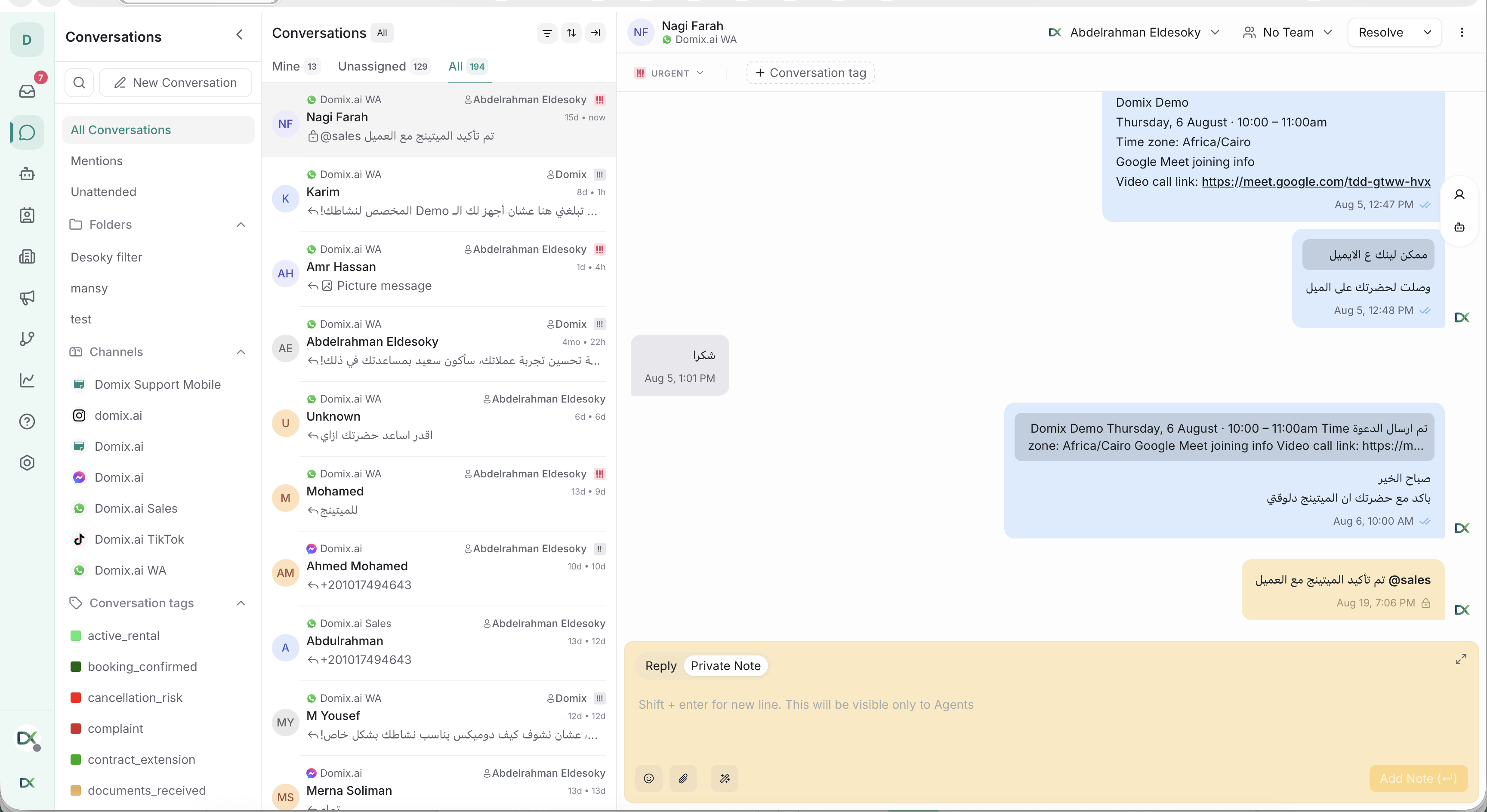
Her message appears in a conversation belonging to that channel’s inbox.
An agent opens it, reads the available history and contact information, and responds.
If another teammate needs to check something, the agent can leave an internal note explaining the question.
Sarah does not receive that note.
Assigning the conversation to the responsible agent or team makes the handoff clearer than leaving everyone to assume someone else is working on it.
The agent checks the order in the company’s order system, sends Sarah the answer, and marks the conversation as resolved when the request is complete.
Domix organizes communication; an order number in a message does not automatically give it access to shipment information.
That information must be available to the team or supplied through a configured integration.
Understand what each part contributes
Conversations are your daily workspace for reading messages, replying, collaborating, and deciding what still needs attention.
Contacts hold the recorded details about a person.
A contact’s identity and a conversation’s current status answer different questions: who is this, and what is happening with this request?
Agents and teams organize responsibility. A team such as “Order Support” represents a working group; an assigned agent identifies the individual handling the exchange.
Labels describe topics such as “Shipping question” so the team can find and organize relevant work.
Once that foundation works, workflows can carry out configured automation, and reports can help you review service performance.
Aim for a small, complete first success
You do not need to configure every feature before using Domix.
Connect one channel, give a test agent access, send a message as a customer, and reply from Domix.
A successful exchange in both directions is a more useful starting milestone than a long list of partially configured features.
Administrators can continue with “Set Up Your Account for the First Time.”
If you are joining an existing workspace as an agent, read “A Support Agent’s First-Day Guide.”
Use “Core Concepts” whenever you need to clarify the relationship between an account, channel, inbox, and conversation.